Your documents and files, made in Europe.
Dazr Suite is the documents and files of the Dazr workplace: Docs, Sheets, Slides and Files, with real .docx, .xlsx and .pptx files you edit live with your team. Mail, Teams, Calendar and Sign are one click away, under the same account.
Free to start. No card needed.
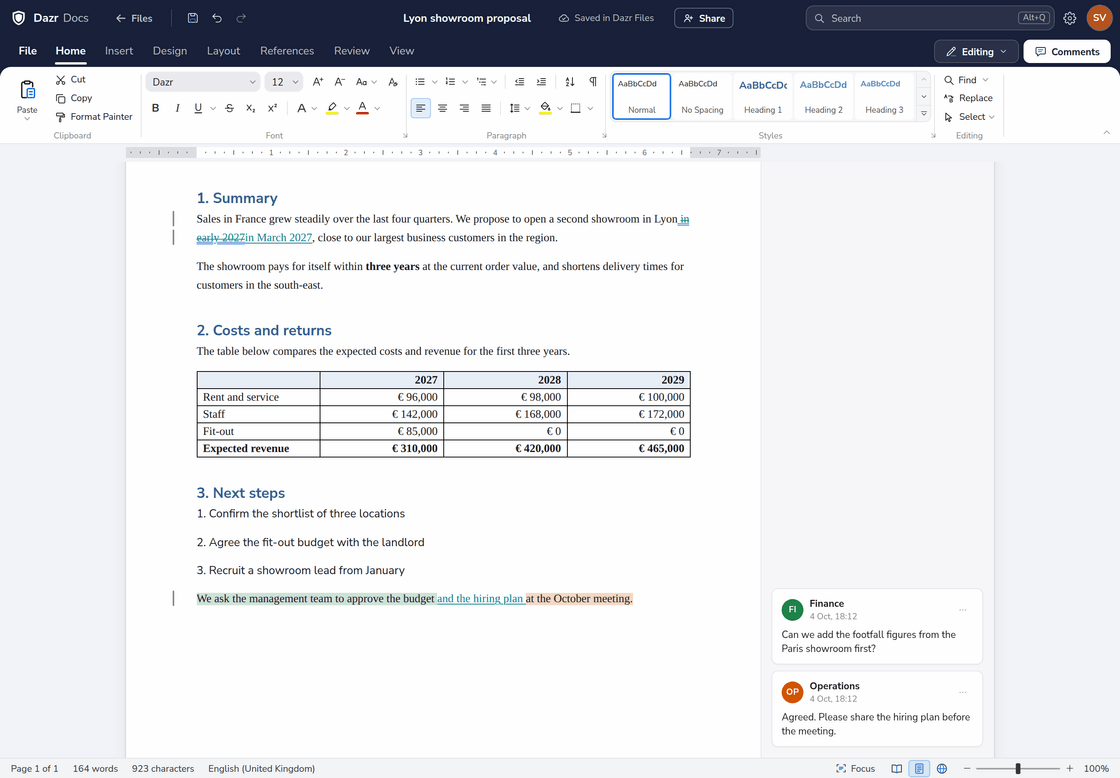
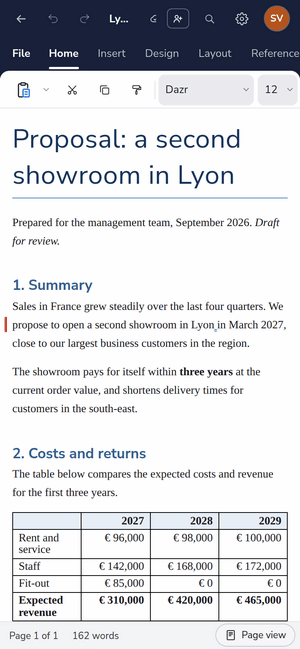
A proposal in Dazr Docs with a tracked change and comments in the margin. On the right, the same proposal on a phone.
Edit together, live.
Your whole team in one document, workbook or presentation, at the same time.
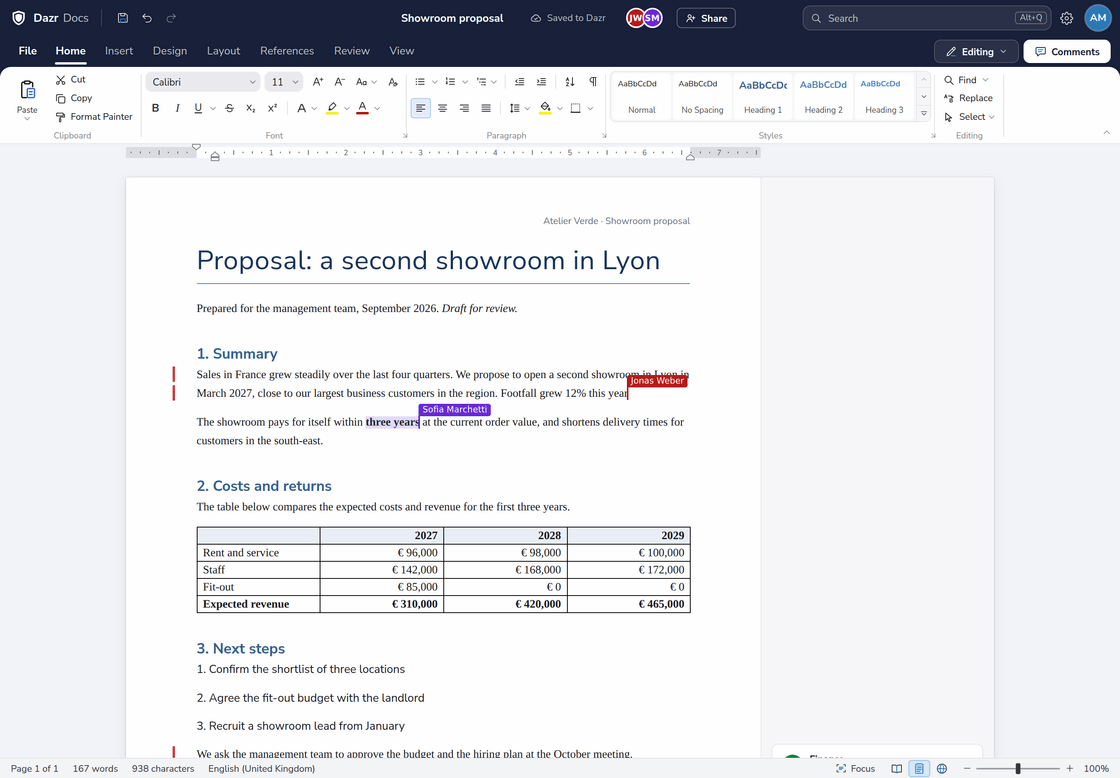
Cursors and selections with names and colours, and text that appears as it is typed.
Live in your organisation’s shared space and in any file you share with Can edit, and still a real .docx, .xlsx or .pptx.
The live server runs in Germany and keeps nothing once you are done.
Three apps, one suite.
Each app opens in its own tab. Work on the same file with your team and see each other type, live.
Dazr Docs.docx .odt .rtf .md .html .pdf
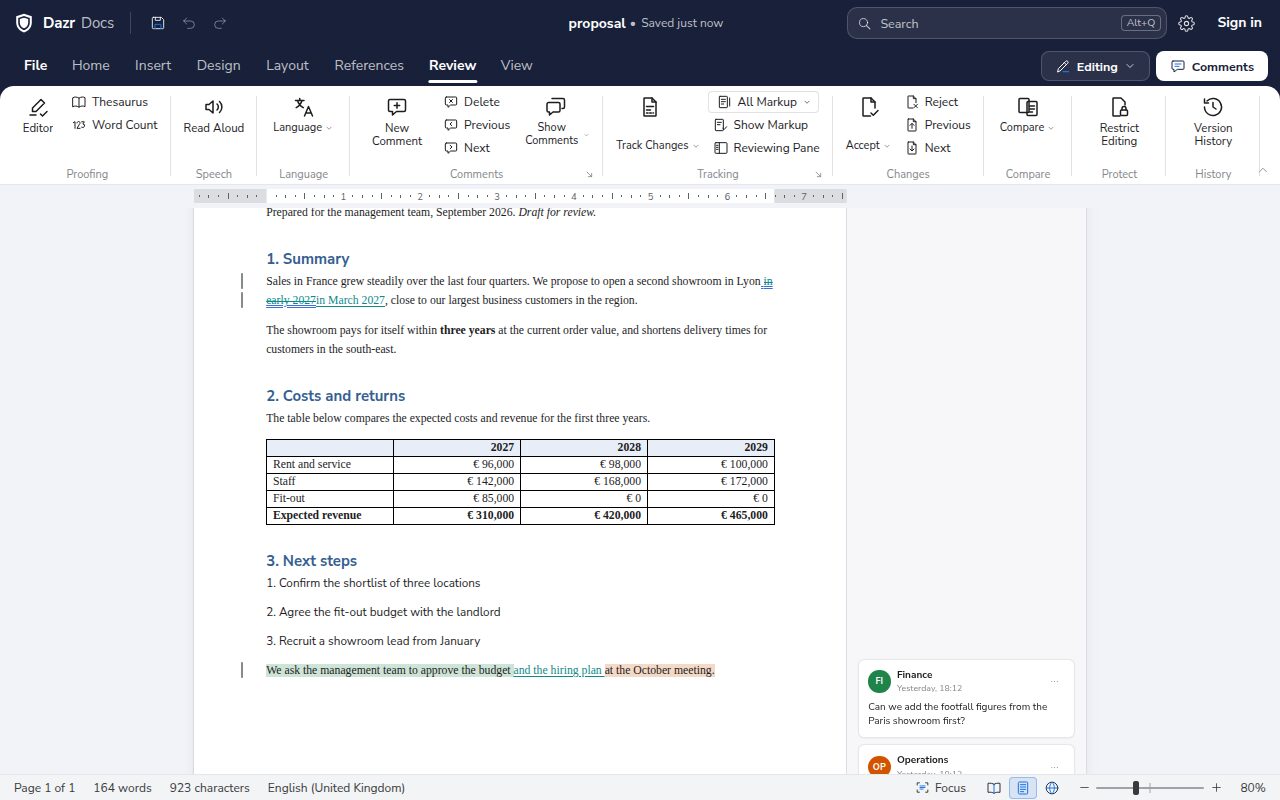
A document editor that opens and saves real .docx, with tables, footnotes, headers and styles that carry over to Word, Pages and Google Docs.
Sign in to Docs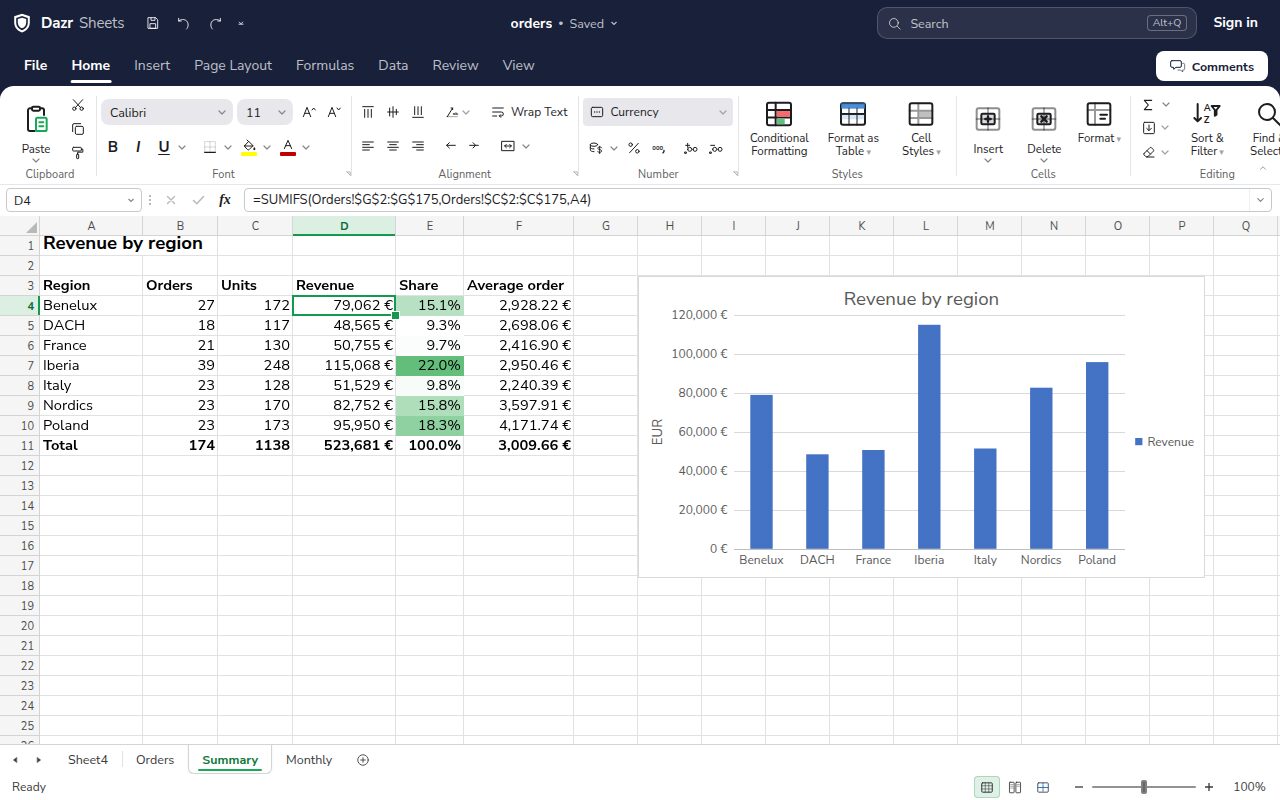
Dazr Sheets.xlsx .xlsm .ods .csv .tsv .pdf
A spreadsheet with a full formula engine. Reads and writes .xlsx with the formulas, named ranges and conditional formats Excel expects.
Sign in to Sheets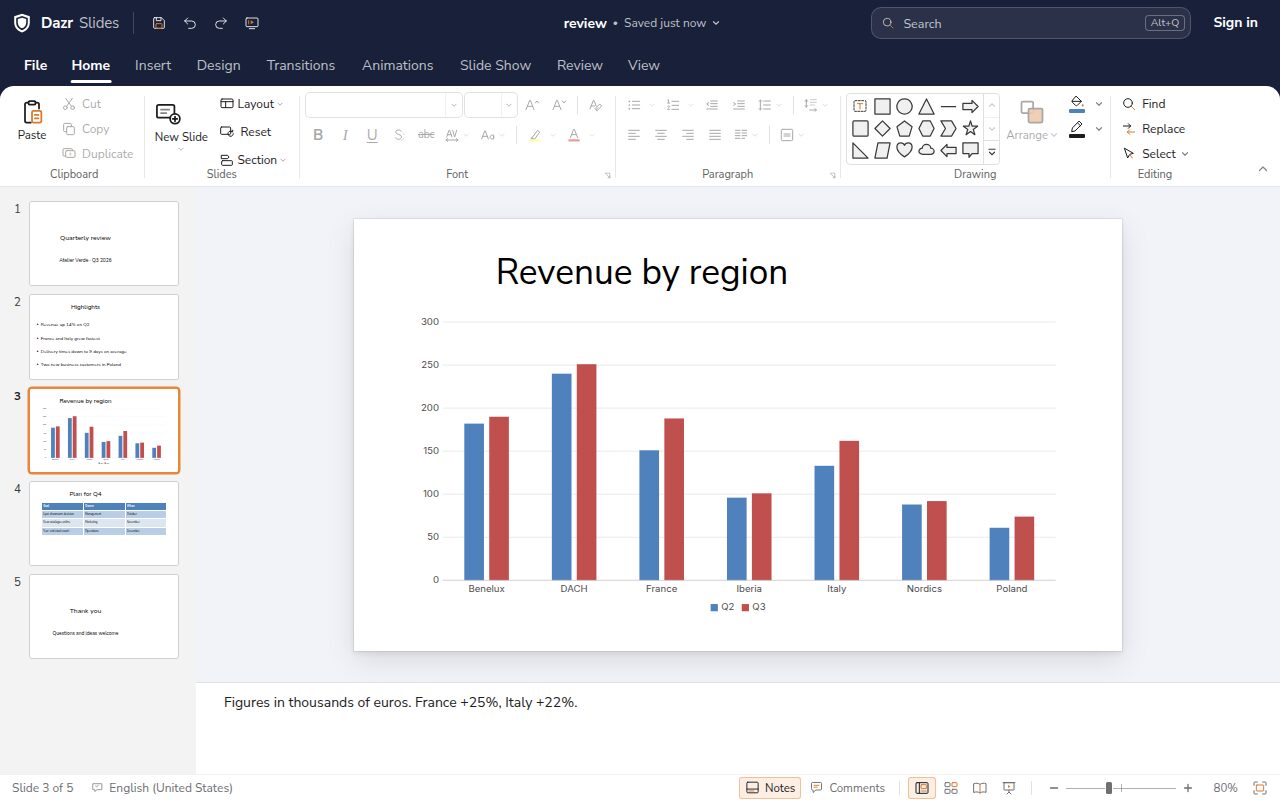
Dazr Slides.pptx .ppsx .odp .pdf .html
Presentations that open and save as real .pptx, and work with PowerPoint, Keynote and LibreOffice Impress. Slideshow mode with speaker notes.
Sign in to Slides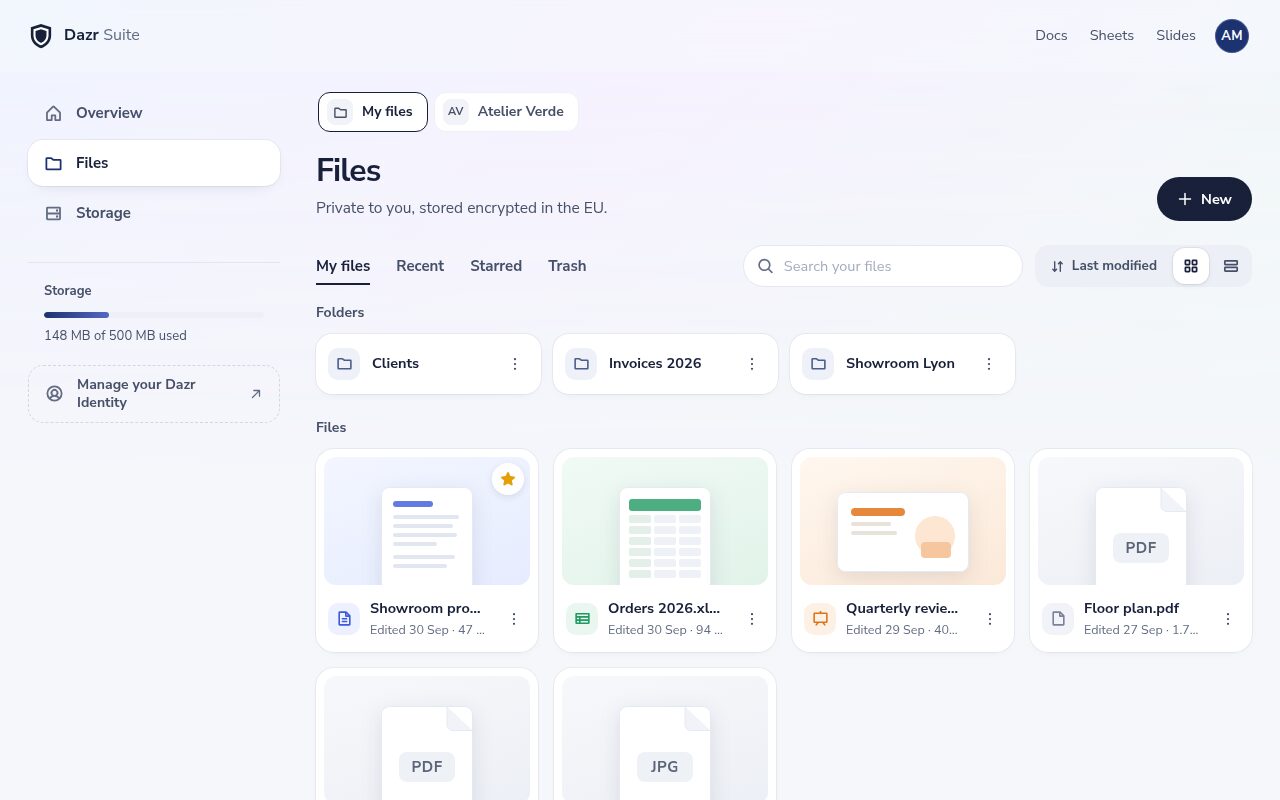
Dazr FilesStorage, encrypted in the EU
Everything you make in Docs, Sheets and Slides, together with your other files: folders, version history and a shared space for your organisation.
About Dazr FilesAlso in your Dazr account: Dazr Calendar Dazr Contacts Free VCF to CSV converter
Desktop features, in your browser.
What Word, Excel and PowerPoint for the web leave to the desktop apps, Dazr Suite gives you in the browser, on every plan.
After your first visit, Docs, Sheets and Slides open without a connection, with your files on your device. Changes sync when you are back. Word, Excel and PowerPoint for the web need an internet connection.
Python with pandas and numpy runs in Sheets on your own computer, also offline, on every plan. Python in Excel for the web runs in Microsoft’s cloud and needs a paid Microsoft 365 plan.
Edit slide masters and layouts, write a presentation as an outline, and build custom shows. PowerPoint for the web does none of the three.
Work back from the result you need, or see many inputs at once. Excel for the web leaves both to the desktop app.
Filter with a criteria range, combine ranges into one summary, and add slicers to tables. Excel for the web can’t do any of the three.
Mark a draft as confidential and frame the page. Word for the web can’t add any of the three.
See what changed between two versions as tracked changes, then accept or reject each one. Word for the web can’t compare documents.
Cite sources, build a bibliography, number your figures and index your terms. Word for the web can’t insert citations or captions.
Allow only comments, tracked changes or filling in forms, with an optional password. Word for the web opens restricted documents read-only.
Based on Microsoft’s own documentation for Word, Excel and PowerPoint for the web, checked in October 2026. Microsoft, Word, Excel and PowerPoint are trademarks of the Microsoft group of companies. Dazr is not affiliated with Microsoft.
Simple defaults.
An office suite that keeps your work yours.
Genuine Office Open XML (ECMA-376, ISO/IEC 29500). Files open cleanly in Microsoft 365, Google Workspace, Apple iWork, LibreOffice and Collabora.
Your work saves to Dazr Files while you type, encrypted in the EU. A draft also stays in your browser.
The same account for every Dazr product. Sign in with a code sent to your email, a passkey, or Google or Microsoft.
AI is optional: off unless you turn it on, with your own key. The apps send no usage data, and we never use your content to train AI models.
Docs, Sheets and Slides run in your browser on Windows, Mac, Linux and ChromeOS.
Start free. Add storage for yourself or for your whole company when you need it. See pricing
Your organisation at a glance.
Dazr Analytics, part of Enterprise, shows how your organisation works across the Dazr apps.
Customer service, projects and hours, meetings and focus, security, mail and the whole organisation, filled with your own numbers from the first day.
Answer one question at a time: what to see, split by what, which period and how to show it. Analysts get a pivot table.
Team totals by default, groups of fewer than 5 people hidden, and only counts and durations kept, never the text of a message. See Enterprise
Moving from Microsoft 365 is automatic
Your company admin approves Dazr once. Dazr then moves everyone’s files, mail, contacts and calendars from Microsoft 365, server to server. Nobody has to do anything per person.
A Global Administrator approves Dazr for your tenant, read only. Dazr only reads people on a domain your organisation has verified.
New mail keeps coming over until you switch your domain to Dazr, so nothing is lost on the day.
Dazr moves up to four people at a time and waits when Microsoft asks it to. Large organisations take hours to days.
Google Workspace moves with a guided export and import instead: files through Google Takeout, each person’s Gmail through Dazr Mail’s import, calendars and contacts as .ics and vCard. How the company migration works
Moving from Google or Microsoft?
Bring your files in an afternoon, and know what to expect before you start.
Export from Google Workspace or Microsoft 365, drag your folders into Dazr Files and check the result. Read the guide
A feature-by-feature table for Word, Excel and PowerPoint files, with the known limits. See the compatibility table
A data processing agreement, a trust centre and a full export of your files whenever you want it. Data processing agreement
Learn it on the real screen.
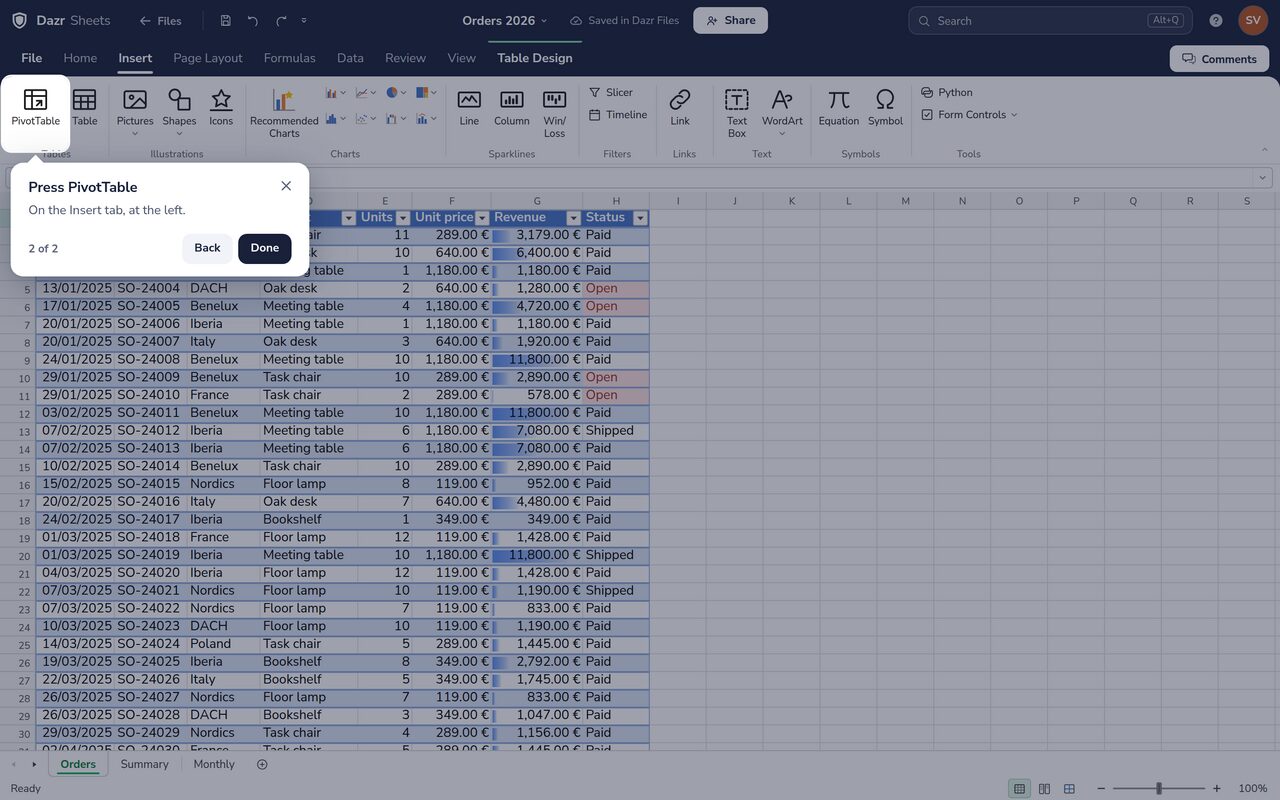
A pivot table, a table of contents or presenter view: open Help, the ? at the top, and a guided tour shows you each step on the real screen, in your language.
For everything else, the help centre has a step-by-step article with real screenshots.
Questions, answered.
Are my documents stored on Dazr servers?
Yes, when you are signed in. The apps save your work to Dazr Files, encrypted on servers in the European Union. A draft also stays in your browser, and downloads go straight to your downloads folder.
Which files can I open and save?
Open files with the file picker, drag and drop or paste, and save or export to .docx, .xlsx, .pptx, .pdf, .csv, .odt, .ods, .odp, .html and .md. The apps run in a browser tab, so double-clicking a file on your computer opens your desktop app, not Dazr.
Are the .docx, .xlsx and .pptx files real?
Yes. Dazr Suite reads and writes the Office Open XML formats standardised as ECMA-376 and ISO/IEC 29500. Files you save open in Microsoft 365, Google Workspace, Apple iWork, LibreOffice and Collabora.
Is my content used to train AI models?
No. Dazr never uses your documents to train AI models, and the apps send no usage data. AI is optional: off unless you turn it on, with your own key.
Do I need an account?
Yes, one free Dazr account, the same for every Dazr product. You sign in without a password: with a code sent to your email, a passkey, or Google or Microsoft.
Can I share a file with someone who has no Dazr account?
Yes. Share it by email from Docs, Sheets, Slides or Files. With Can view they open it read-only in their browser, no account needed, and can download it or make their own copy. With Can edit they sign in with a free Dazr account and edit your file with you, live. You see who has which role and can change it or turn it off at any time.
Can several people edit a file at the same time?
Yes, in your organisation’s shared space and in any file you share with Can edit. Everyone in the file sees who else is there, their cursors and what they type as they type it, and every change is saved to the same .docx, .xlsx or .pptx.
What does it cost?
Dazr Suite is free, with 25 GB of storage for each person and 25 GB for each organisation space. For more, Personal is €10 per month with 750 GB, Starter is €9 per person per month with 250 GB each and 250 GB of shared space, Pro is €19 per person per month with 1 TB each and 2 TB of shared space, Enterprise is €29 per person per month with 2 TB each, and extra storage is €9 per TB, all excluding VAT. See pricing for the price in your country.
Does it work offline?
Yes. After your first visit, Docs, Sheets and Slides open and work without a connection, with your files on your device. Changes sync when you are back online.
Start writing.
Open an app in your browser. Free to start, with one Dazr account.