One file, the whole team, live.
Edit the same document, workbook or presentation together, at the same time. You see who is there and every change as it happens, and the file stays a real .docx, .xlsx or .pptx.
Included on every plan, also Free: in organisation spaces and in any file you share with Can edit.
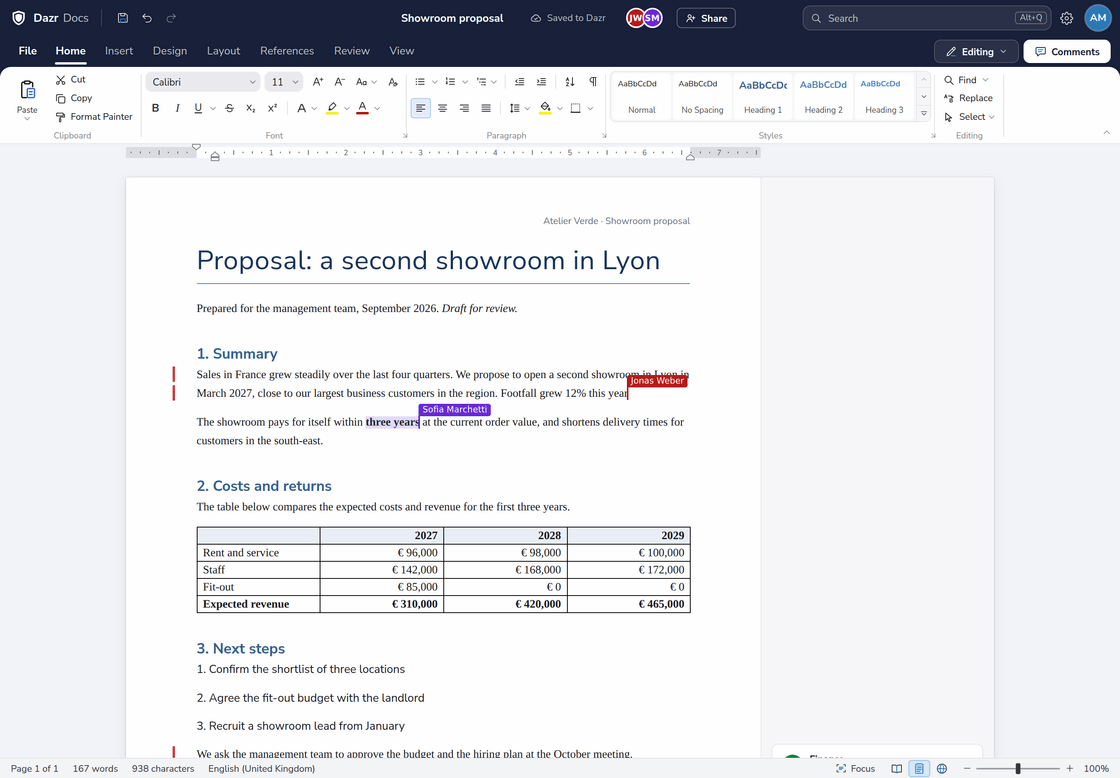
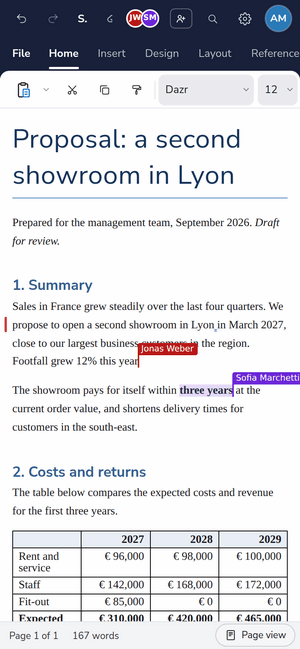
Alex sees Jonas add a sentence while Sofia selects a figure. On the right, the same proposal on a phone.
One file, no copies.
Everyone works in the same file, instead of versions in your inbox.
Avatars at the top show who has the file open. Cursors and selections carry each person’s name and colour.
Text appears as your colleagues type it. Click an avatar to follow someone to where they are working.
Undo takes back your own changes only, never a colleague’s.
Lose the connection and keep typing. Your edits merge when you are back.
Docs: write side by side.
Two people in the same paragraph, and not a word lost.
See where everyone is writing and what they select, each in their own colour.
A colleague’s sentence appears letter by letter, right where they write it.
Every change lands in the same .docx in Dazr Files, ready for Word, Pages or Google Docs.
Sheets: one workbook, many hands.
Everyone fills in their part, and the totals keep up.
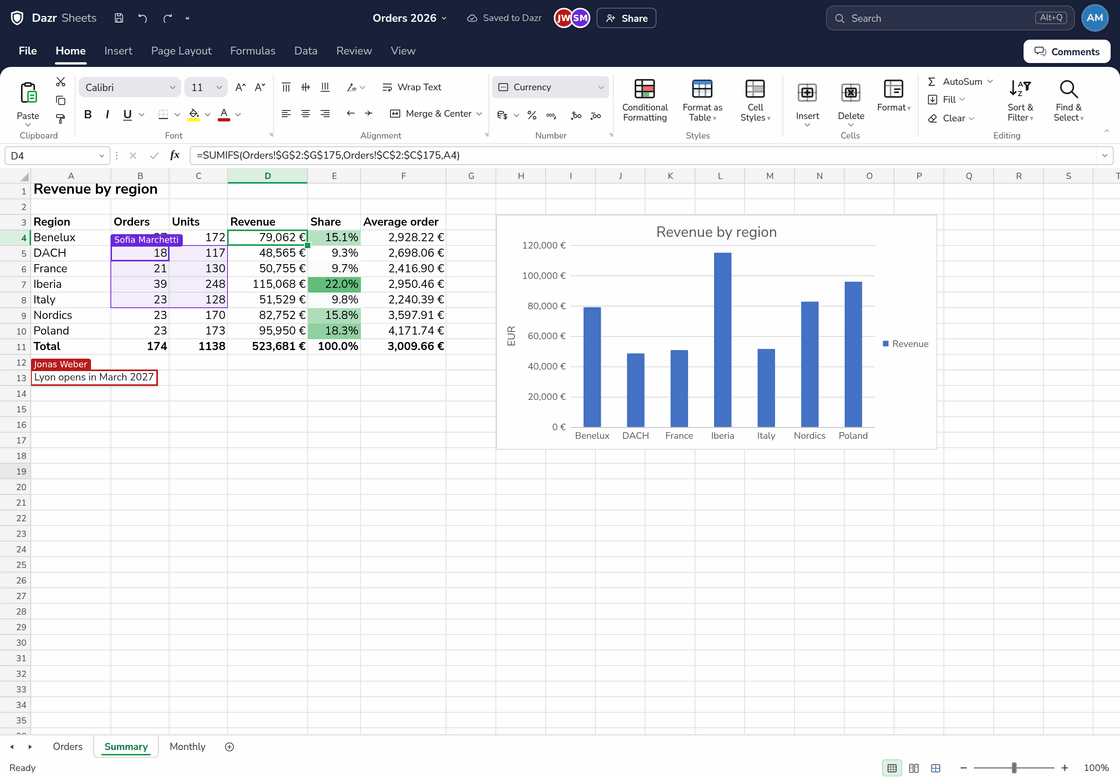
Other people’s selections show as coloured outlines with their name.
See what someone types in a cell before they even press Enter.
Everyone moves through the workbook at their own pace, and every change reaches all of you at once.
Slides: build the deck together.
Split the work by slide, or write in the same text box.
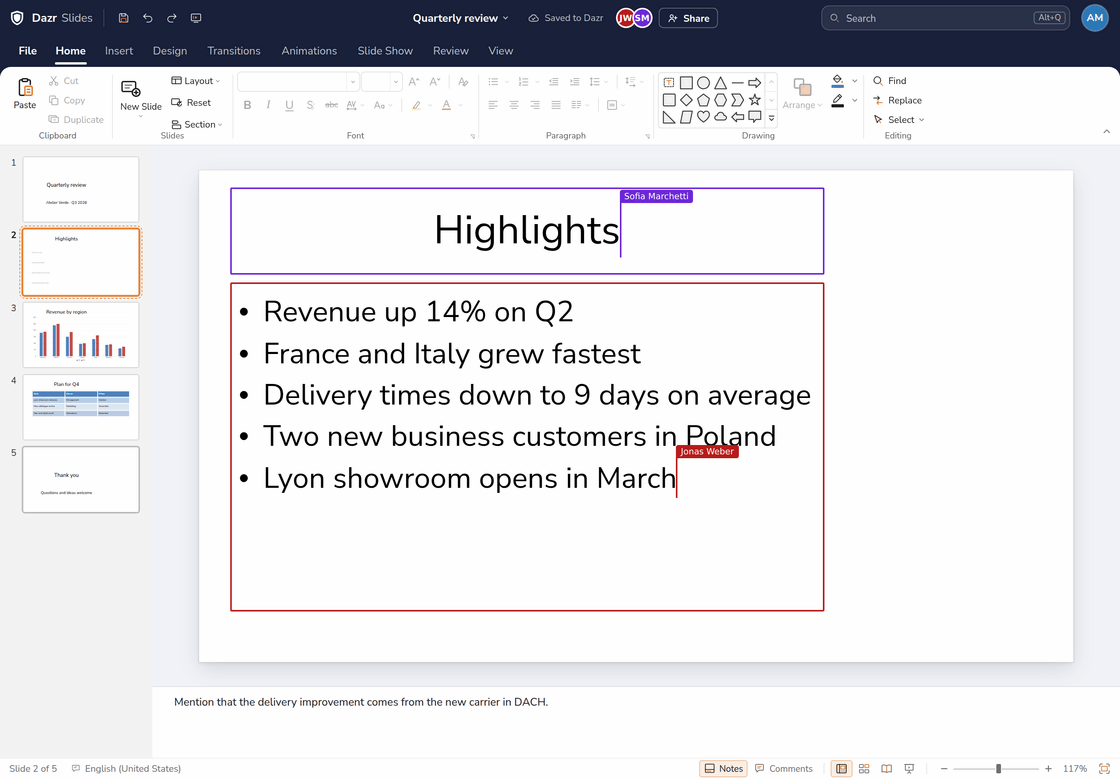
Two people can type in one title or list at once. The words merge character by character.
Text cursors and selected shapes carry the name and colour of whoever is working there.
Click an avatar to jump to the slide where a colleague is working.
How it works.
Nothing to switch on. Open a file and start.
Live editing starts by itself when people open the same file: members of your organisation in its shared space, or the people you shared a file with as Can edit.
Every change reaches the others within a moment, so everyone sees the same file.
Changes are saved to the same .docx, .xlsx or .pptx in Dazr Files, with its version history.
Open the version history in Dazr Files to see or restore an earlier version.
Private by design.
Working together should not mean giving your work away.
The server that keeps everyone in step runs at Hetzner in Germany. It holds a file in memory only while you work on it together and writes nothing to disk.
Every change travels over an encrypted connection. Your files stay encrypted in Dazr Files in the EU.
Only members with edit rights in the shared space, and people you invited with Can edit, can join. Invited editors need a free Dazr account with the invited address; viewers don’t, and they see a read-only view.
Nothing you type is used to train AI models, and the apps send no usage data.
Questions, answered.
Who can edit a file live?
Members of your organisation with edit rights in its shared space in Dazr Files, and the people you share a file with as Can edit. Each person signs in with their own Dazr account; a free one is enough.
Does live editing work for my personal files?
Yes, when you share them. Share a file in My files with someone as Can edit and you edit it together, live. They sign in with a free Dazr account using the email address you invited, and the file stays in your storage. Files you have not shared with an editor are edited by you alone.
Can people with a share link edit along?
Only if you gave them Can edit. A Can view link opens a read-only view, no account needed, and they can make their own copy with a free Dazr account. Can edit needs a free Dazr account with the invited email address.
What happens when two people change the same thing?
Text typed at the same moment merges character by character, so nobody’s words get lost. When two people fill in the same cell in Sheets, the last change counts.
What if I lose my connection?
Keep working. Your changes merge as soon as you are back online. If the file changed in a way that cannot be merged in the meantime, your offline changes are saved as a copy next to it, so nothing is lost.
Where is the file saved?
In Dazr Files, as the same .docx, .xlsx or .pptx, with its version history. One browser in the session saves for everyone, as you go.
Does the live server keep my documents?
No. It holds a file in memory only while people are editing it together and drops it shortly after the last person leaves. It writes nothing to disk.
Can I take edit access back?
Yes, at any time. In Share, change someone to Can view or remove them. Their saves stop at once and their live session ends within two minutes. Moving the file to the bin or deleting it ends every editor’s access too.
How many people can edit at once?
Up to 50 people in one file at the same time.
Does live editing cost extra?
No. It is included on every plan, also Free: in organisation spaces and in any file you share with Can edit.
Bring your team in.
Share a file with Can edit, or create your organisation and invite your colleagues. Free to start.