Encrypted storage for your work.
Dazr Files keeps what you make in Docs, Sheets and Slides together with your other files. Folders, version history and a shared space for your organisation, stored encrypted in the EU.
Included with your Dazr account, free to start.
Everything where you expect it.
Find a file in seconds.
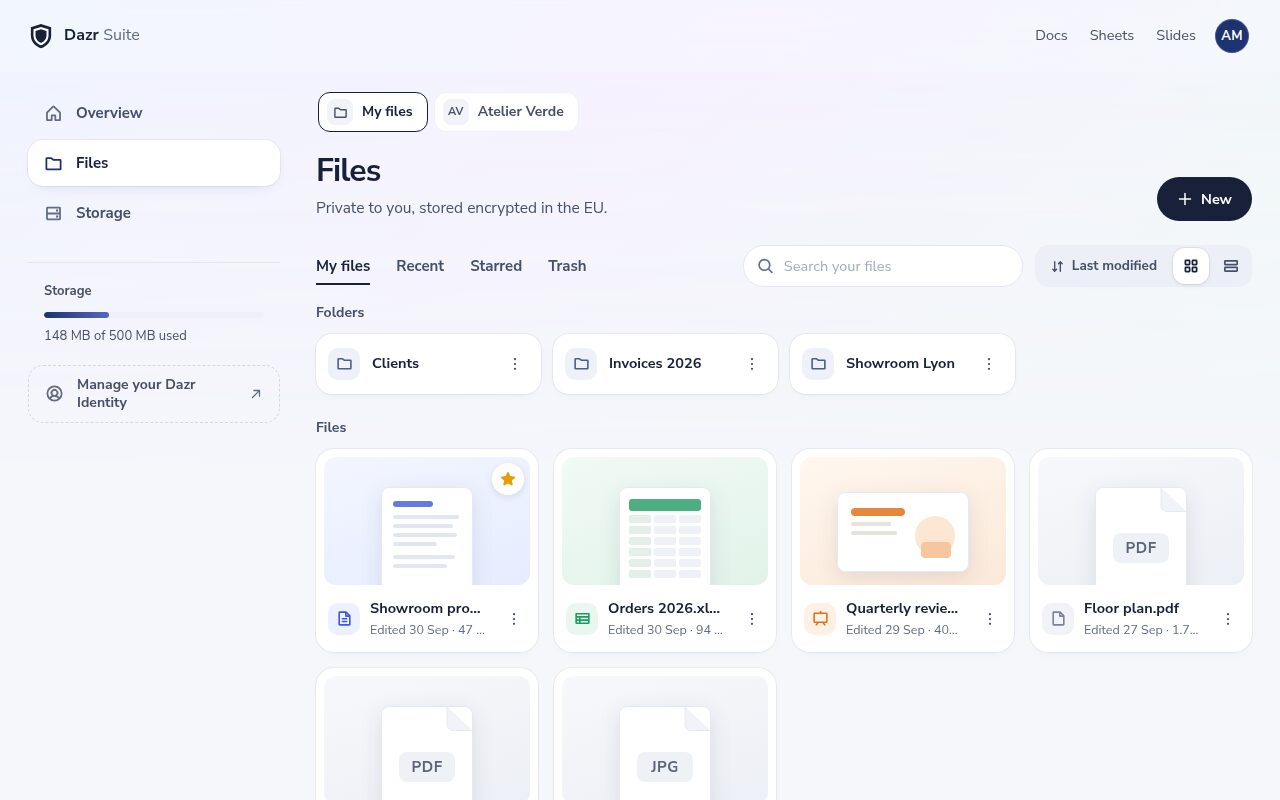
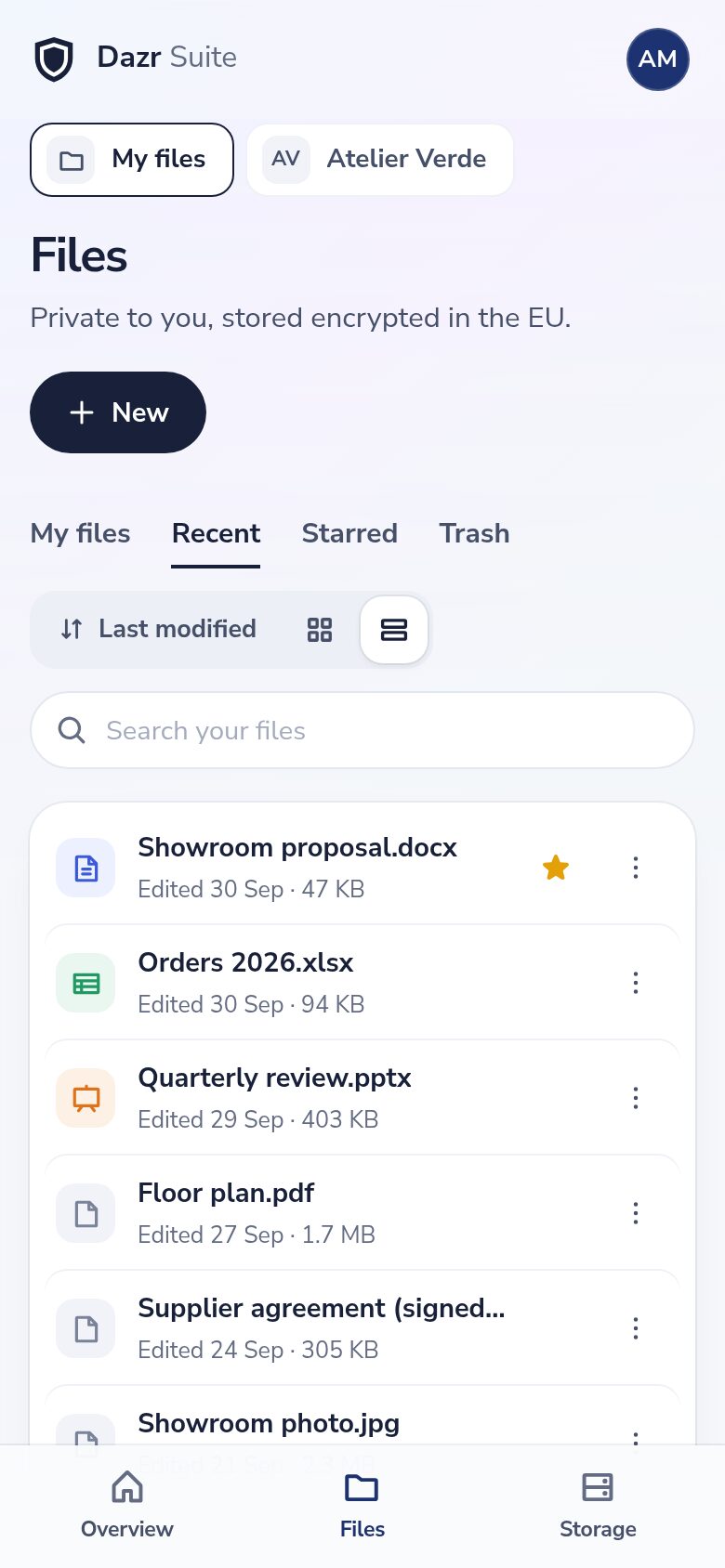
Sort files into folders, star the ones you use most and search by name.
Documents, workbooks and presentations open straight in Docs, Sheets and Slides. PDFs and pictures open in a preview.
Drag files or whole folders onto the page to upload them.
Works with the files you have.
Keep every kind of file together.
Store any file up to 50 GB, up to 25,000 files in each space, and download it exactly as you uploaded it.
Word, Excel and PowerPoint files, old and new, and their OpenDocument versions open in Docs, Sheets and Slides.
PDFs and pictures open in a preview, right in the page.
Runs in Chrome, Edge, Firefox and other modern browsers, on your computer and your phone. On Windows, Dazr Files for Windows brings your files into File Explorer, with files on demand and sync both ways.
Mistakes you can undo.
Nothing is lost by accident.
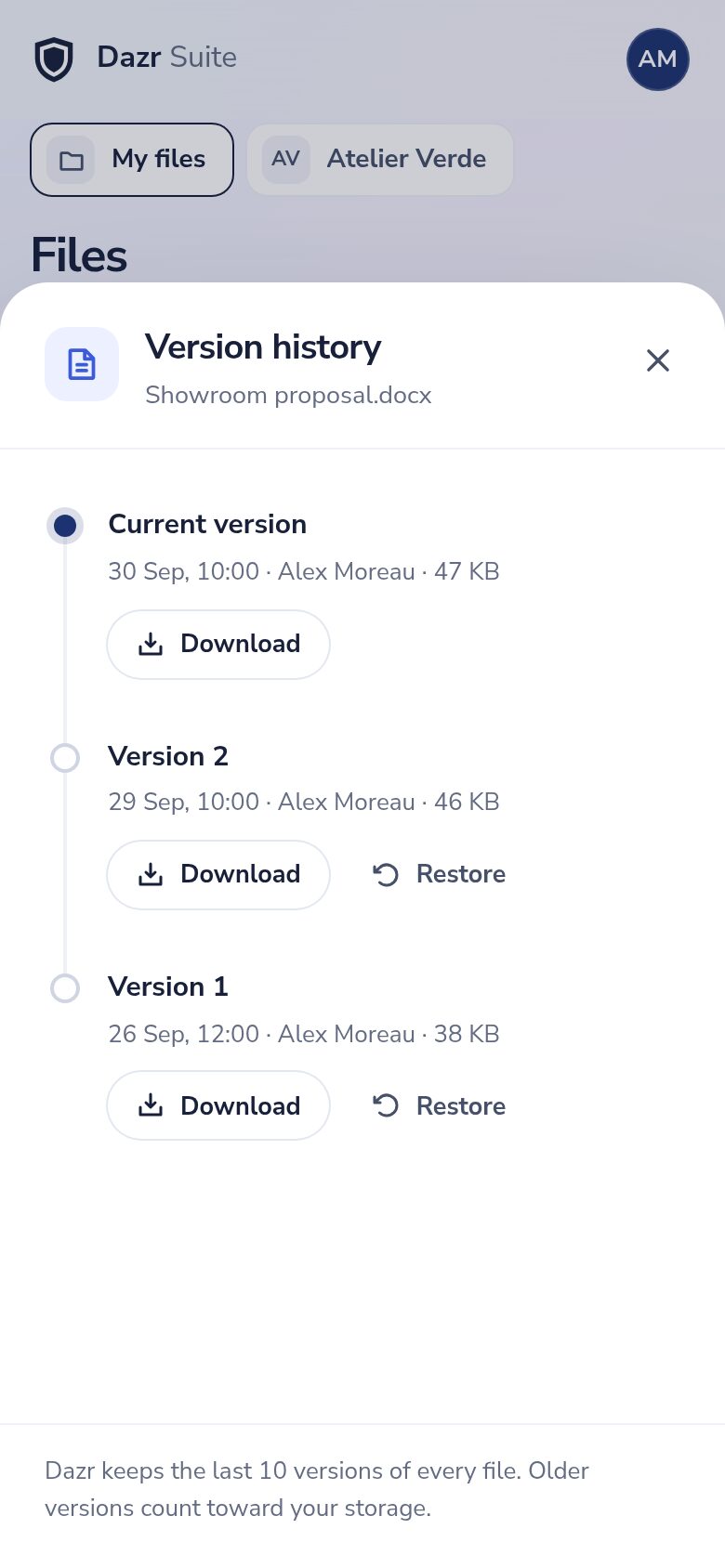
Dazr keeps the last 10 versions of every file. Download or restore an earlier one.
Deleted files stay in the trash for 30 days, so you can restore them.
On the free plan you have 25 GB for your own files, and each organisation space has its own 25 GB. Paid plans add more. See how much you use and what takes it up.
Share with your organisation.
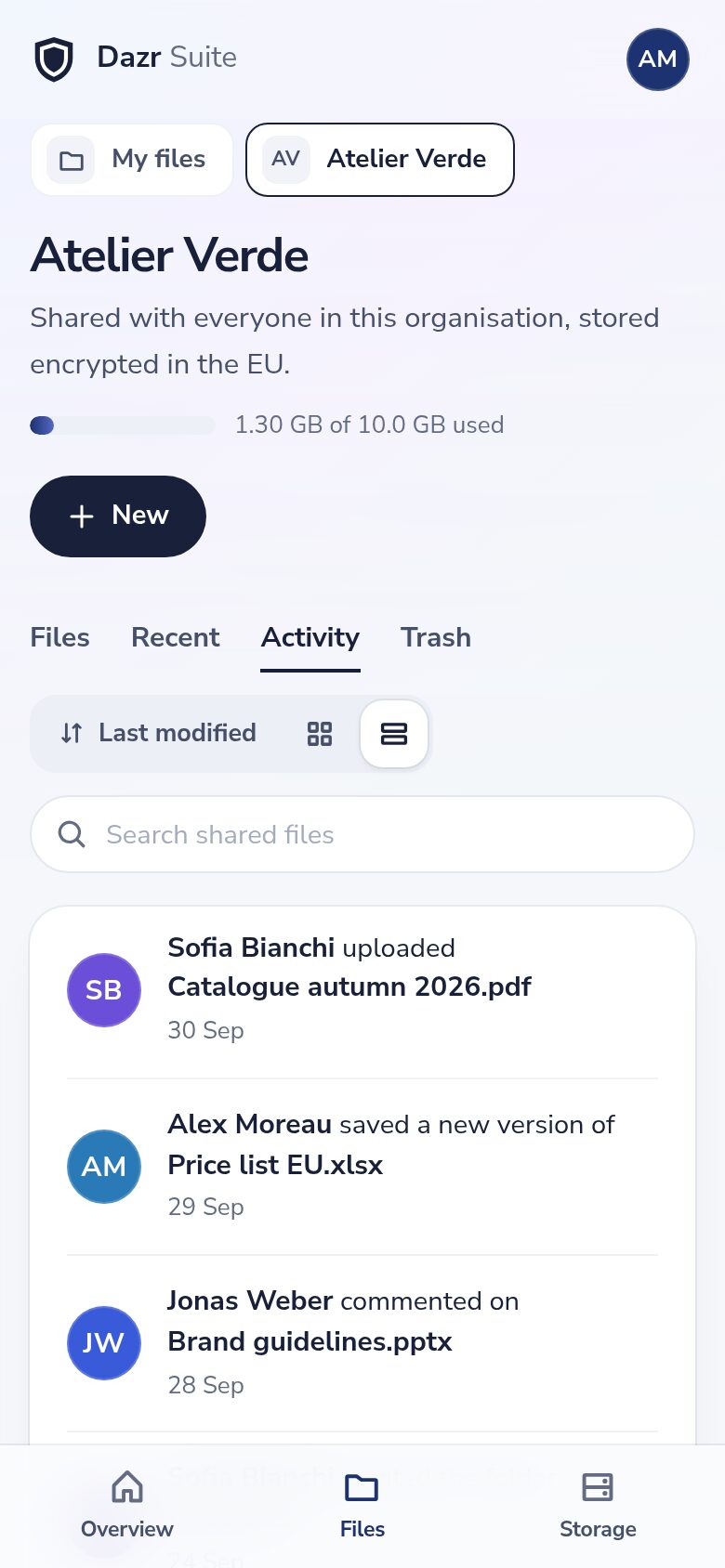
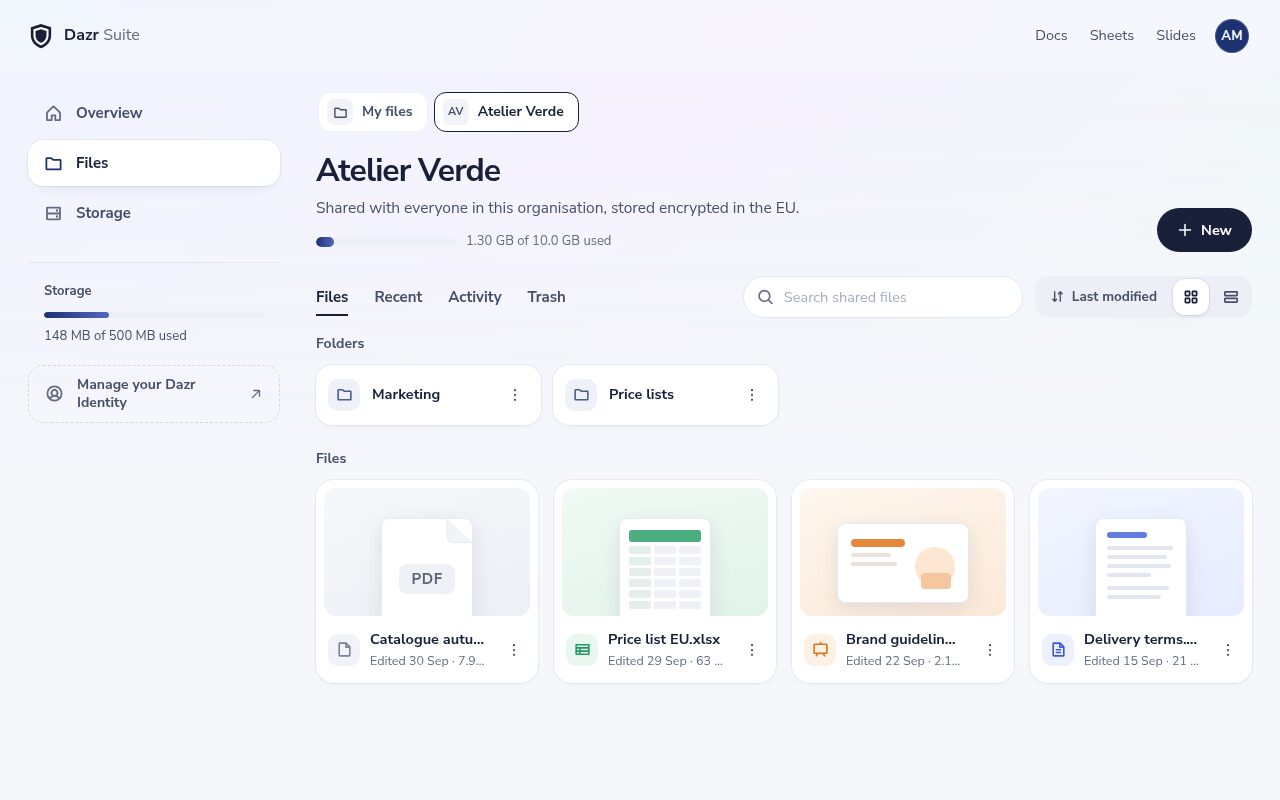
One shared space for everyone in it.
Every organisation you belong to has its own shared space, with its own storage.
See who uploaded, changed or moved what, and discuss a file in its comments.
Admins decide who belongs to the organisation. Dazr checks access on every request.
Share with anyone.
Send a file to a client or supplier without an account on their side.
Anyone with a view link can view and download the file. An edit link works only for people signed in to Dazr.
A link stops working after 1, 7, 30 or 90 days, or when you turn it off. Turning it off takes effect at once.
Download all your files as one .zip file, with your folders, whenever you want.
European cloud storageComing from OneDriveComing from DropboxComing from Google Drive
Moving from Microsoft 365 is automatic
Your company admin approves Dazr once. Dazr then moves everyone’s files, mail, contacts and calendars from Microsoft 365, server to server. Nobody has to do anything per person.
A Global Administrator approves Dazr for your tenant, read only. Dazr only reads people on a domain your organisation has verified.
New mail keeps coming over until you switch your domain to Dazr, so nothing is lost on the day.
Dazr moves up to four people at a time and waits when Microsoft asks it to. Large organisations take hours to days.
Google Workspace moves with a guided export and import instead: files as a Google Takeout .zip that Dazr Files unpacks into folders, each person’s Gmail through Dazr Mail’s import, calendars and contacts as .ics and vCard. How the company migration works
Guided tours and help.
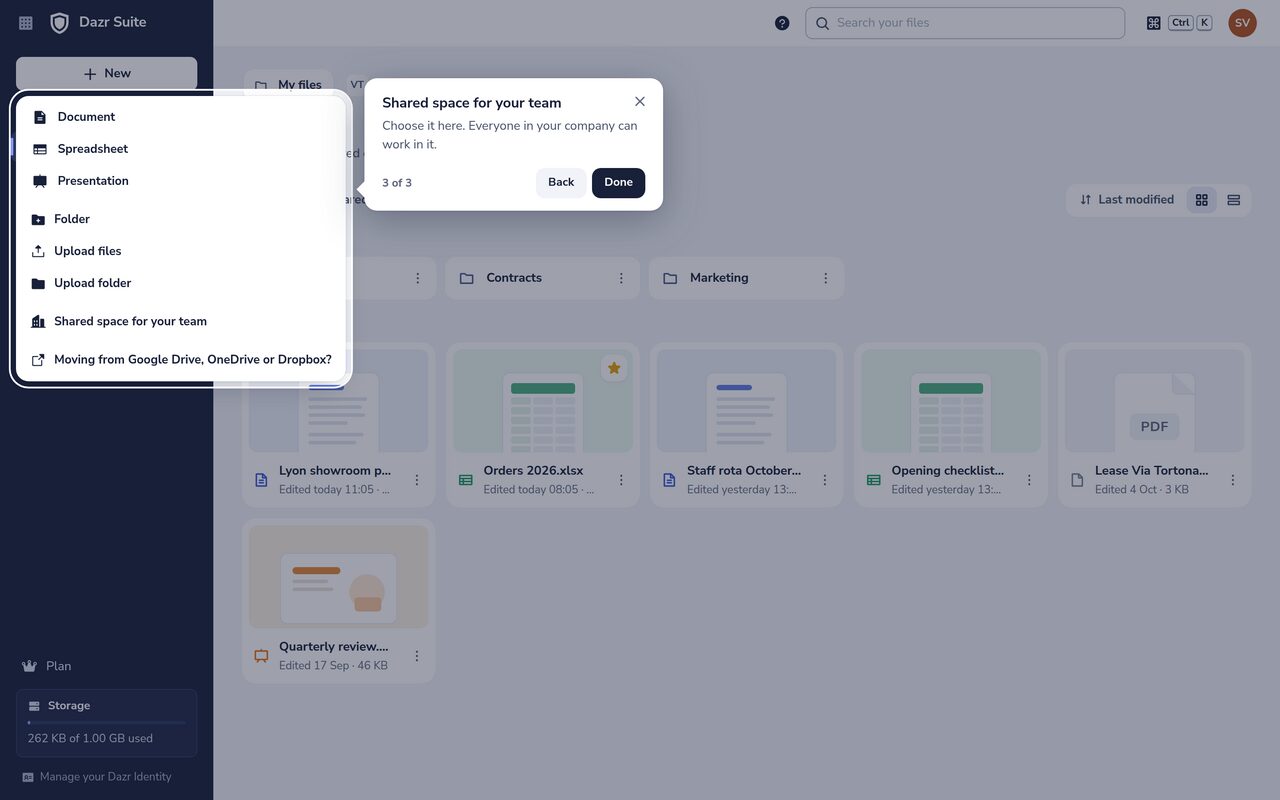
Upload your files, set up a shared space for your team or share a link: open Help, the ? at the top, and a guided tour shows you each step on the real screen, in your language.
For everything else, the help centre has a step-by-step article with real screenshots.
Private by default.
How your files are stored, in plain words.
Every file is encrypted with AES-256-GCM at the application layer before it is stored, with keys held on our servers.
Your files are kept on servers in the European Union, by an Italian company.
Your own files are visible only to you, unless you share a link. Files in a shared space are visible to the members of that organisation.
Bring your work together.
Sign in with your Dazr account to open your files.